Favourites
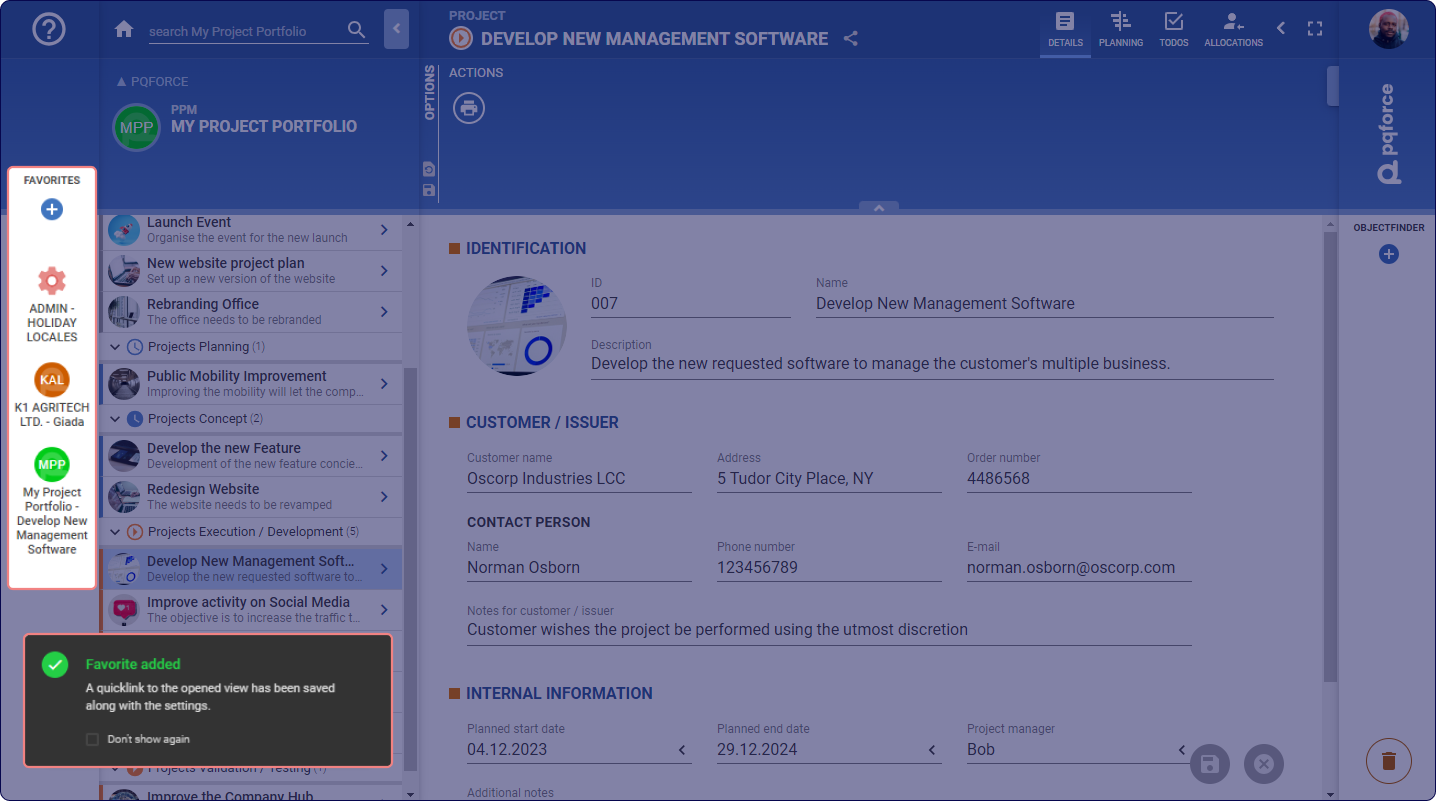
Within the Favourites bar, diverse views on objects can be stored and promptly revisited by the logged-in user.
Selecting an existing favourite directs to the associated object, loading the relevant view along with the preserved settings.
Add Favourites
Clicking on the Plus symbol  creates the current view including the settings currently selected in the Options Area as a new favourite.
By default, the name of the favourite is set equal to the name of the active object. With a click on the name of the favourite, it can be edited.
Arrange and delete Favourites
The order of the Favourites can be changed by moving individual Favourites down or up using Drag & Drop.
A favourite can be deleted by dragging and dropping it into the Trash Bin at the bottom right.