TODOs
This section is available only for editions higher than PQFORCE Smart
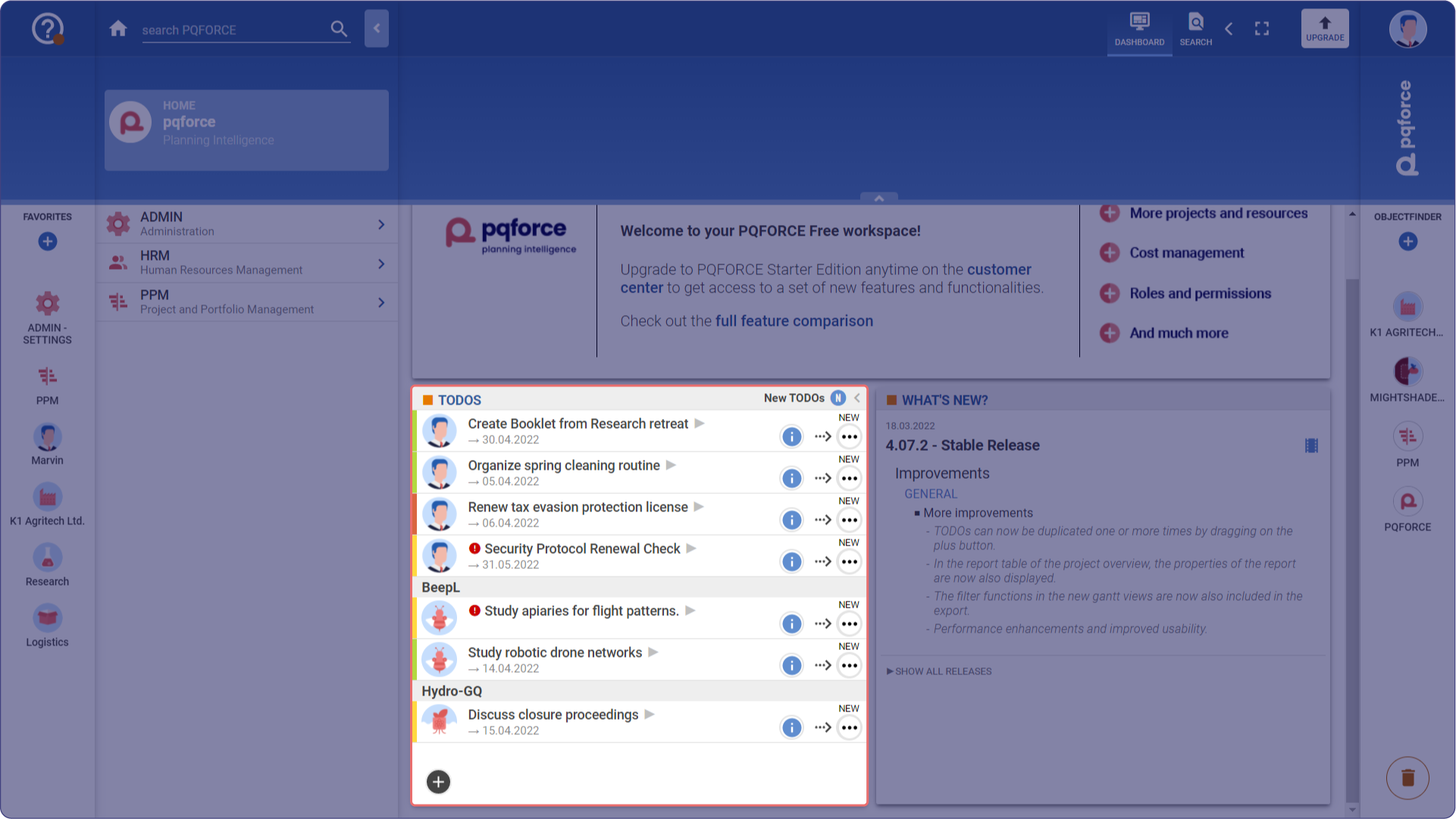
This widget shows the TODOs associated with the logged-in user. With the help of the icon next to the TODO it is shown to which object the corresponding TODO belongs. By clicking on the gray triangle next to the name of a TODO, the TODOs view of this corresponding object is opened in a new tab.
In addition, the possible life cycle transitions of the TODO can be triggered and commented directly in the widget. At the top right of the widget, options for filtering and sorting can be shown or hidden by clicking Edit Filter.
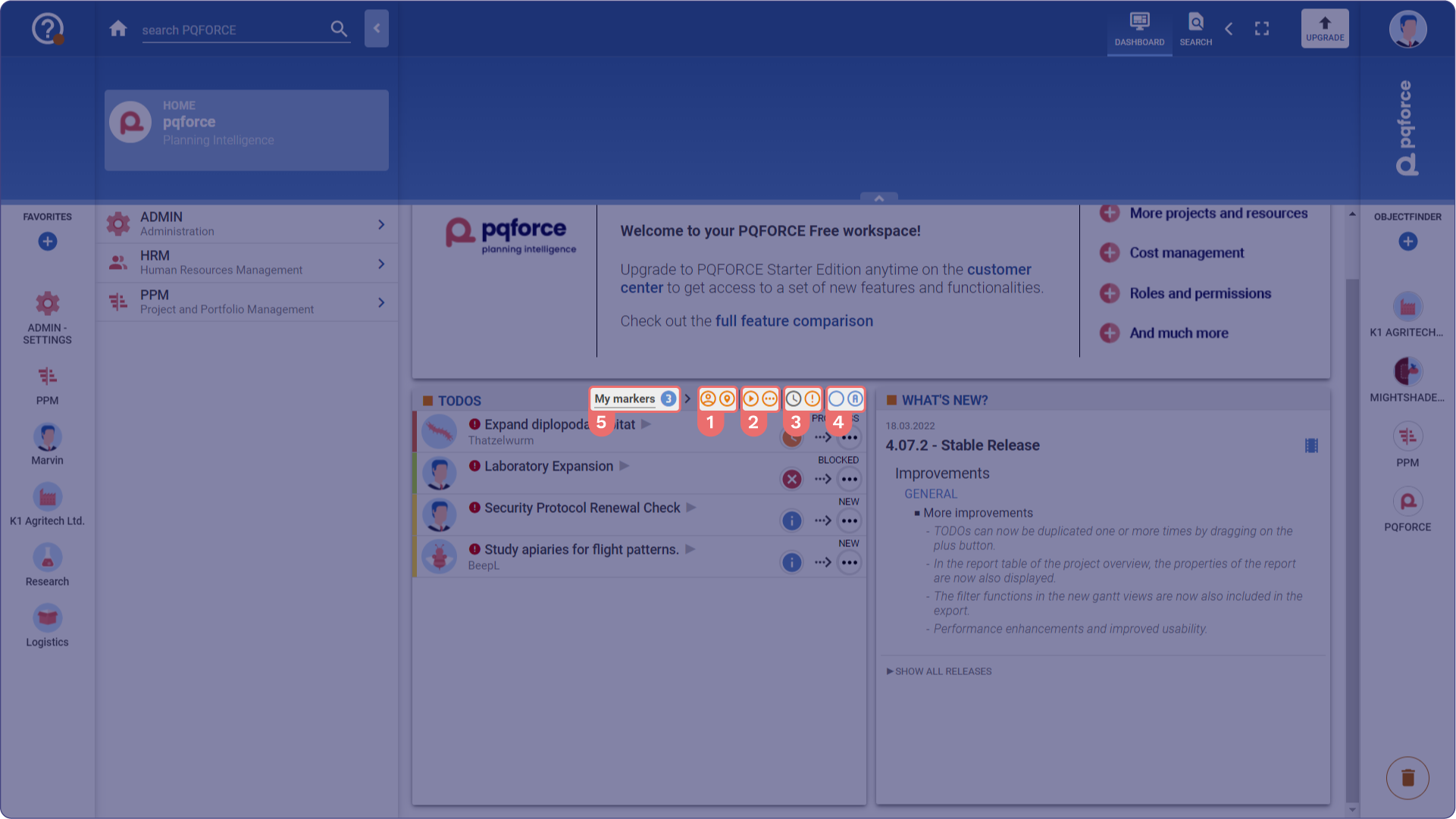
The options and their functions are as follows:
Relations Filter
If none of these filters are active, no TODOs are displayed. These filters operate independently and their effects accumulate, but the result depends on the Status and Other filters.
-
My Own TODOs: Creates the following criterion: The owner of the TODOs is the logged-in user.
-
TODOs Assigned to Me: Creates the following criterion: The TODOs assigned to the logged-in user.
Status Filter
If none of these filters is active, no TODOs are displayed. These filters do not influence each other and thus behave additively, but the result depends on the Relations and Other filters.
-
TODOs to be Executed: Creates the following criterion: The TODO has the status In Progress.
-
Other TODOs: Creates the following criterion: The TODO is not in the In Progress status.
Other Filters
These filters are purely restrictive and can influence each other by further narrowing down the results already defined by the Relations and Status filters.
-
TODOs Due in the Next 7 Days: Filters the selection to TODOs with deadlines within the next 7 days.
-
TODOs with Marker: Filters the selection to TODOs that have an exclamation mark marker.
Group and Sort TODOs:
- Grouping of TODOs: There are 3 different settings available here, which can be changed by repeatedly clicking the button:
- By Project: The TODOs are grouped according to the object they belong to. Under the name of a TODO, its deadline is displayed, if any.
- By Status: The TODOs are grouped according to their current Lifecycle status.
- No Grouping: The TODOs are listed without grouping.
- Sorting TODOs: There are 2 different settings available here, which can be changed by repeatedly clicking the button:
- By Name: The TODOs are sorted alphabetically by their names.
- By Deadline: The TODOs are sorted by their deadlines, starting with the earliest deadline. All TODOs without a deadline are appended at the bottom. If several TODOs have the same deadline or no deadline, they will be listed alphabetically.
Filter Presets
These presets can be changed by repeatedly clicking the blue circle with the number. The default settings are as follows:
-
My approvals (1): All TODOs waiting for my approval
-
My Works (2): TODOs assigned to me, TODOs to be executed & TODOs due in the next 7 days.
-
My Priorities (3): All filters except TODOs due in the next 7 days.
-
New TODOs (N): All TODOs in New status for which the active user has the TODO Owner relation.