Title Bar
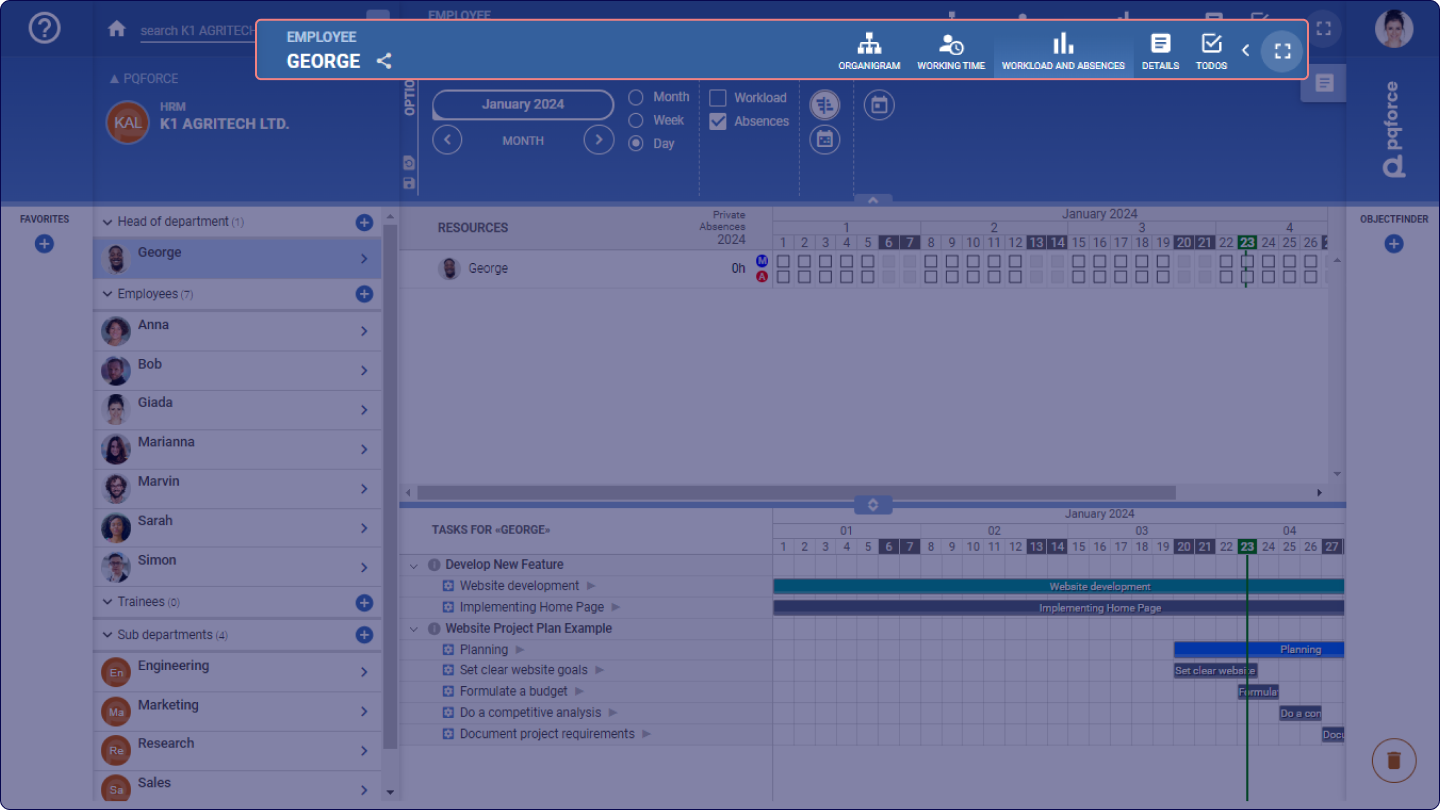
The Title Bar provides information about the currently viewed object and allows access to different information through different views.
Situated on the left side, the active object's name, type, and active module are presented. If the active object pertains to a project, its present status is also showed.
The central section of the Title Bar contains the views associated with the active object. The type of views accessible is determined by the type of object currently selected. Each view is represented by its name and a corresponding icon. The views' displayed order can be rearranged by dragging and dropping the view buttons as desired.
Share view
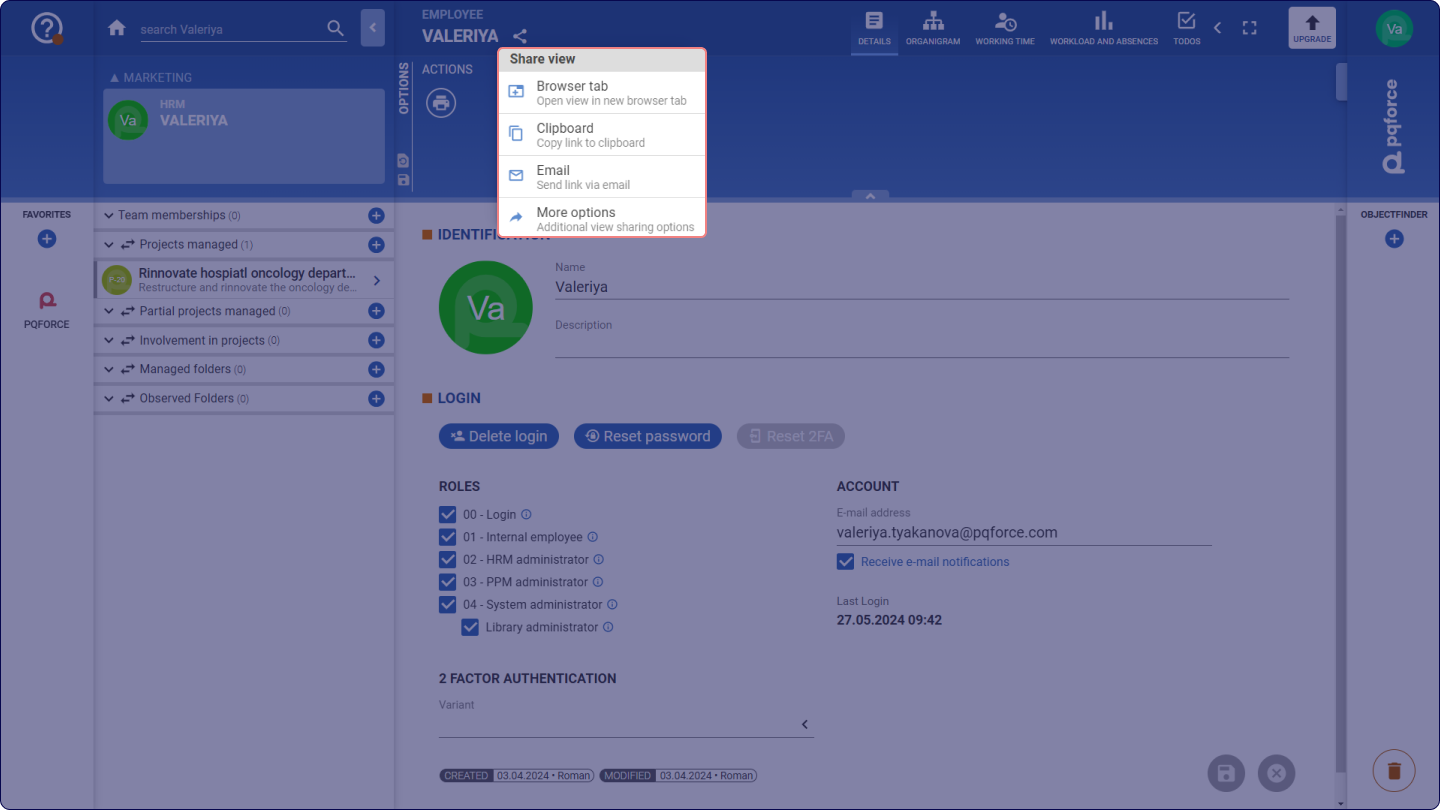
By selecting the Share icon  beside the object name in the active view on the right side of the Title Bar, it will be possible to:
- Open the view in a new browser tab
- Copy the current view link to the clipboard
- Send the link via email
- Use More options to copy the link and share it via different apps
Manage views
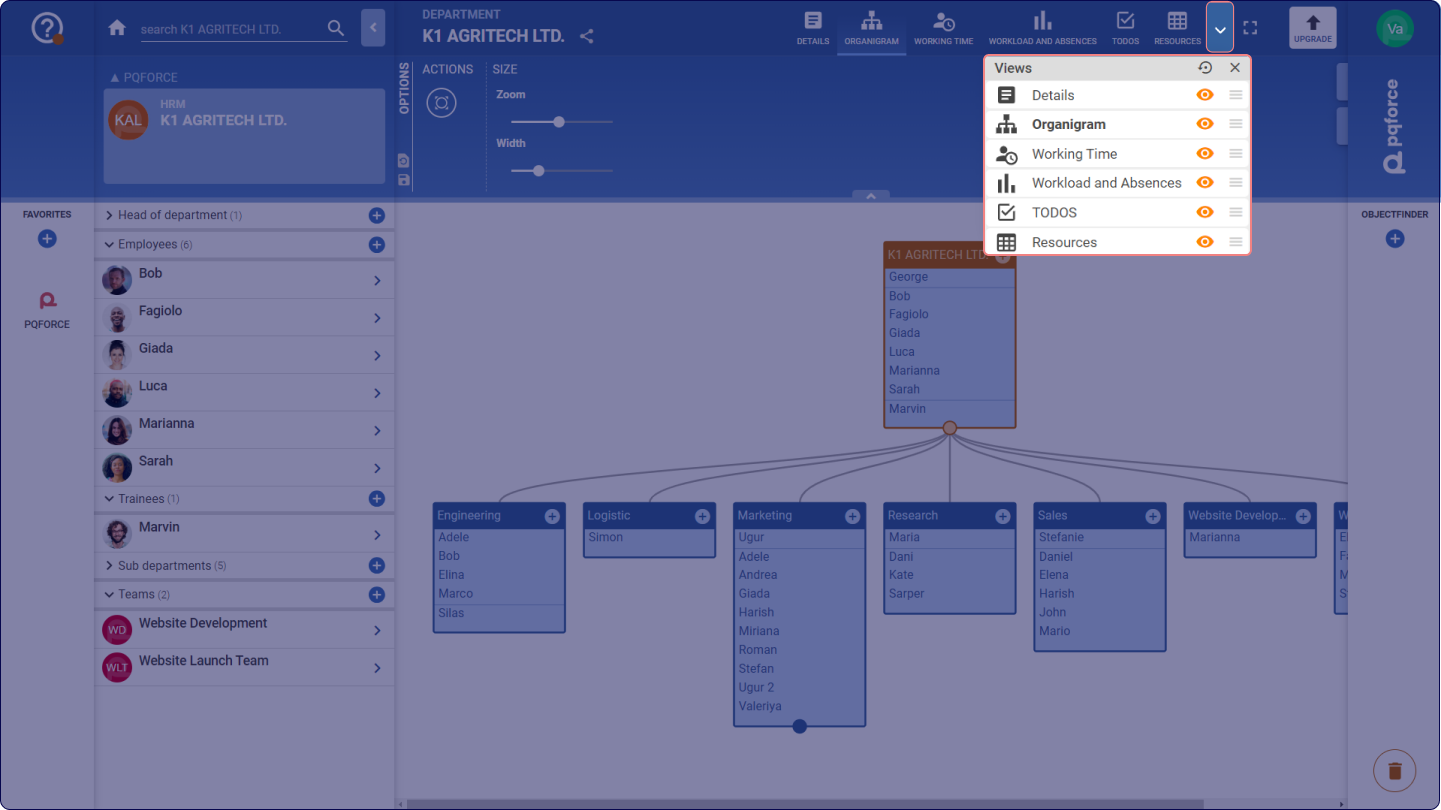
Selecting the Manage Views button  adjacent to the symbols reveals a dropdown listing all views linked to the active object, including those that may not fit within the Title Bar due to limited space. Each view can be shown or hidden using the Eye icon
 within the Manage Views dropdown. Furthermore, the order of the views can be adjusted by dragging and dropping the List icons
 located to the right of the Eye icon .
By clicking the Reset button  situated at the top of the dropdown, all views are displayed and organised according to the default order.
Full-screen mode
The button immediately to the left of the Upgrade button activates or deactivates the full-screen mode. Full-screen mode provides more space for working in PQFORCE by hiding the Navigator, the Favourites bar, and the Object Finder. Alternatively, you can also activate or deactivate the full-screen mode using the key combination CTRL + F11.
Upgrade button
Positioned on the far-right side of the Title Bar is the Upgrade button, which opens the PQFORCE website in a new tab, offering system upgrade options. Only system owners can upgrade a system.