Team
A Team in PQFORCE is a resource that brings together employees from one or multiple Departments for resource management initiatives or to facilitate collaboration across multiple projects and tasks.
Employees are always created within a Department and can subsequently be assigned to one or more Teams; however, an employee cannot be created solely within a Team. Unlike Departments, where each employee is assigned to only one, Teams offer greater flexibility by allowing assignments across multiple groups.
Each Team, like any other resource in PQFORCE, has its availability and workload determined by the combined capacities of its members. However, the Working Time view is not available for Teams, as working time models can only be defined at the Department level and resources from different Departments could have different Working Time Models. Teams can be allocated to specific projects and tasks and assigned TODOs.
Navigator
If the active object is a Team, the following elements are displayed in the navigator:
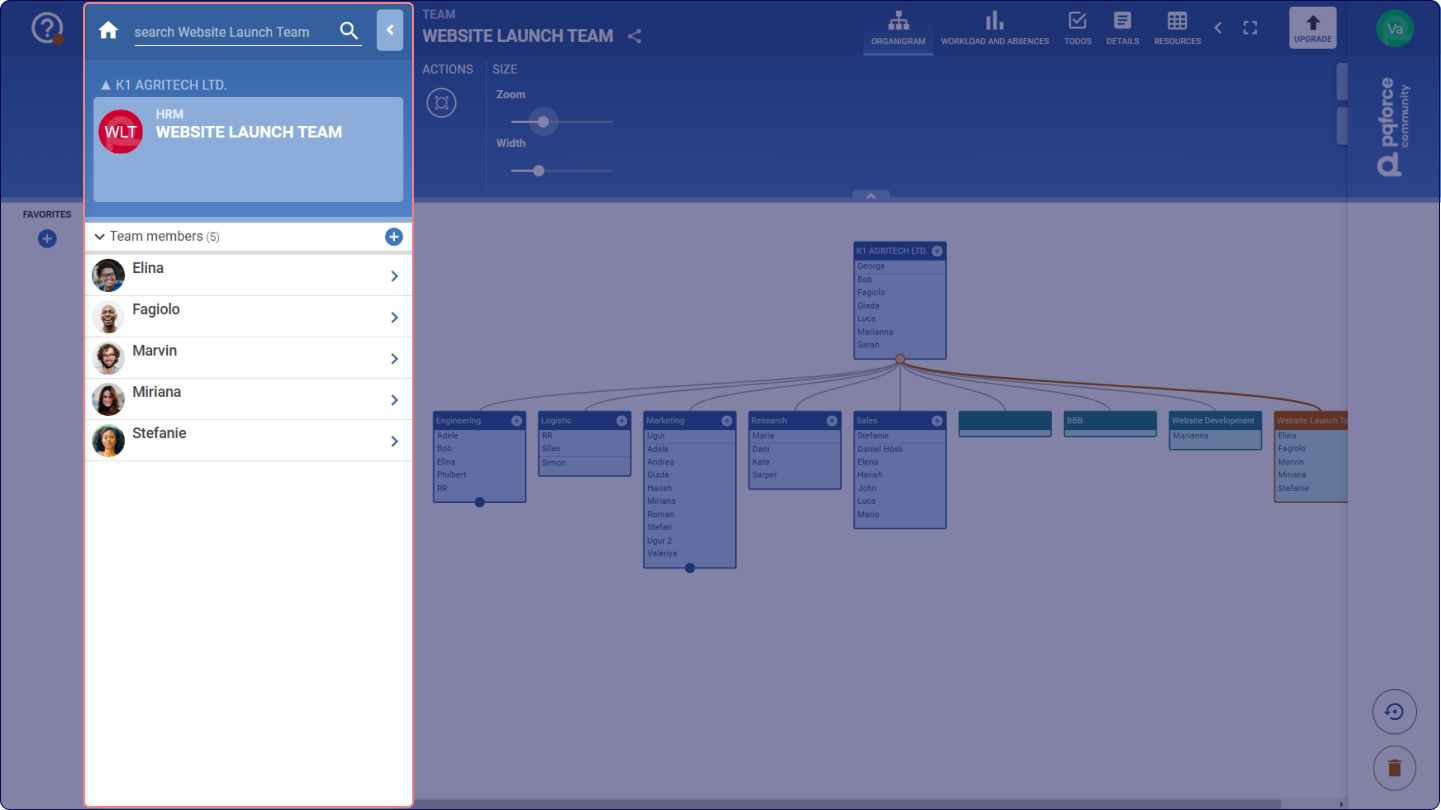
Team members: lists the employees that make part of the selected team. With a click on the Plus symbol  , additional team members can be added in the active team. Team members can be removed from the current Team by dragging and dropping elements into the Trash Bin
 .