Workspace
The workspace constitutes the main area within PQFORCE. Generally, this is where most of the actions are carried out in the system. The displayed and editable information varies significantly from view to view, depending on the type of active object.
The user manual for the different views will detail what information and options are available in the workspace of the respective view and how to use them.
Primary and secondary workspaces
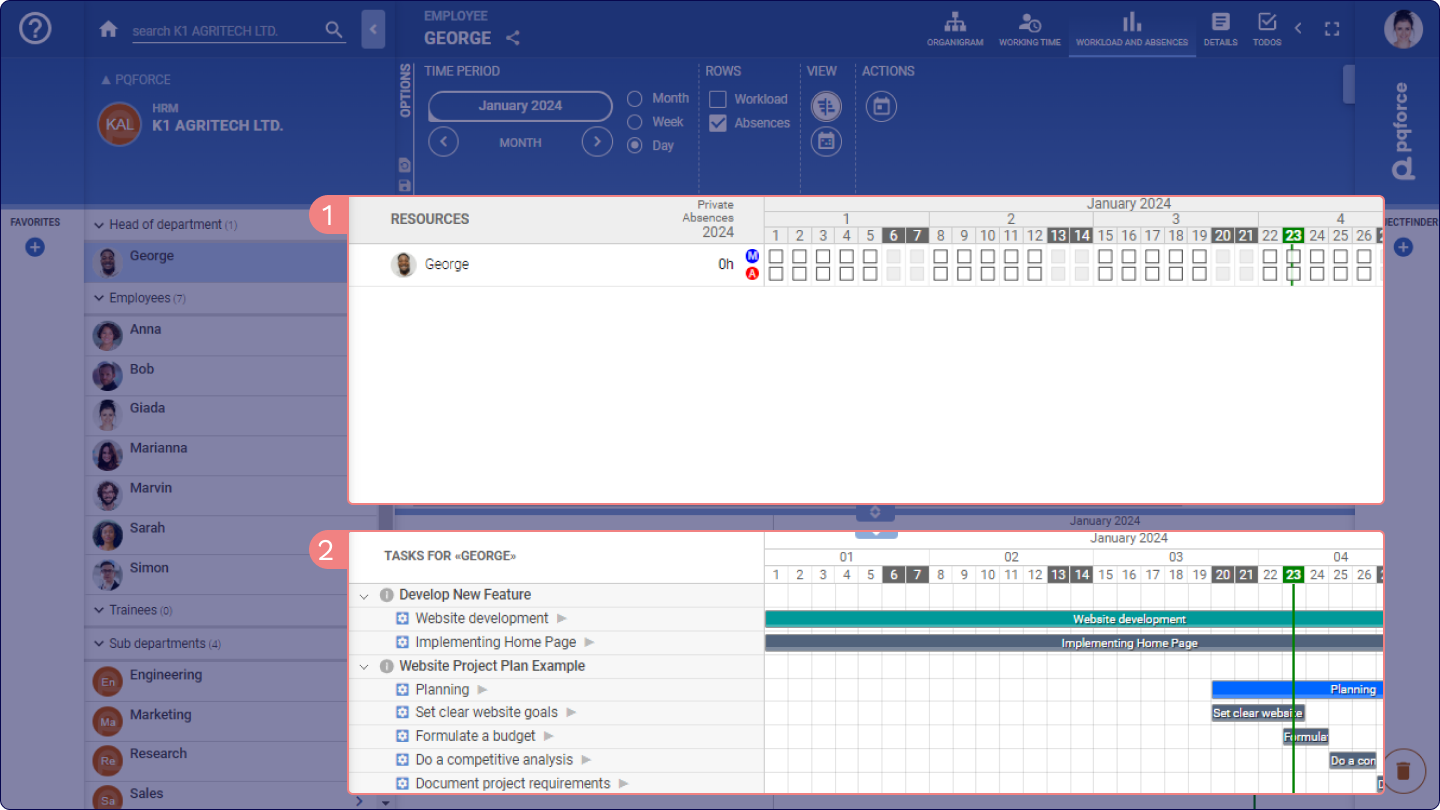
Numerous views offer the option to unveil a supplementary area within the workspace. This overlay occupies the lower half of the workspace and is known as the 2 secondary workspace. It provides the means to exhibit and modify data that complements the information showcased in the original workspace, referred to as the 1 primary workspace.
Apply / discard modified data
On many views, changes can be made in the workspace that are not written directly to the database. In such cases, while editing the data, two buttons appear at the bottom right, titled Apply and Discard. Only when the Apply button is clicked, the changes are written to the database.
The system will indicate if there is any unsaved data before switching to another view or navigating to another object. These must first be applied or discarded before a change of view is possible.
Open in a new tab
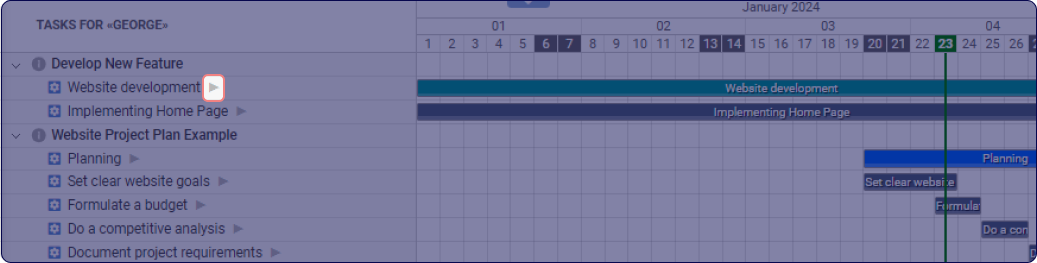
Each item displayed within the workspace typically features a  grey triangle beside it. Clicking on this triangle opens a new tab showcasing the item itself, enabling exploration and navigation of its details further.