Working Time
Each resource in PQFORCE can have an individual working time model. This determines on which days of the week the resource is available.
Workspace
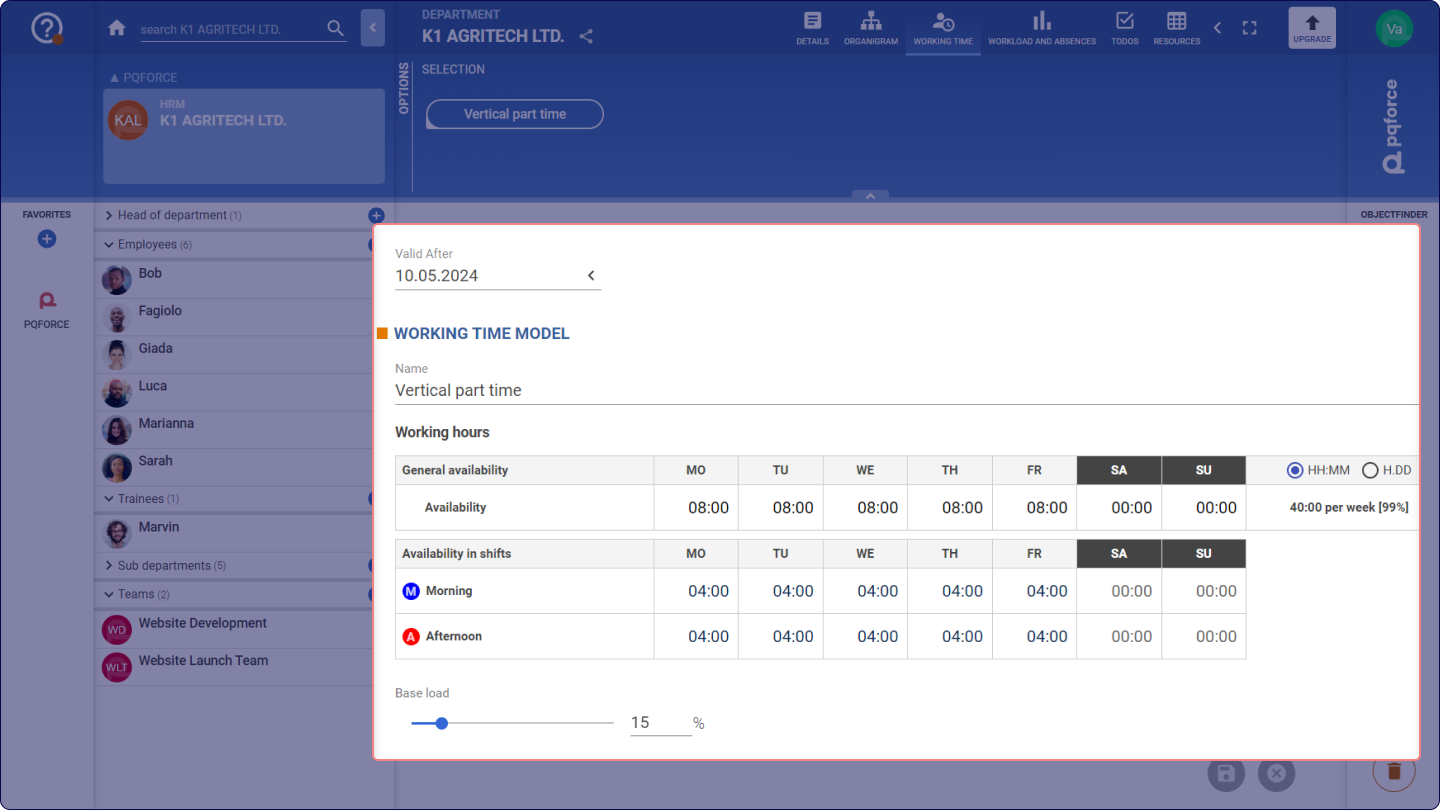
The working time model selected in the Options Area of the active resource is displayed in the workspace. At the top of the workspace, a date can be set for the selected working time model, defining the start of the validity period. This date can also be in the future, if an upcoming change of the working time model is already known. Then the availability of the resource using the new working time model is automatically considered from the relevant date.
Directly below, the checkbox Inherit working time model from the parent object can be used to set whether the working time model of the active resource should be inherited by the parent resource. If this checkbox is set, then all information in the Working time model area will be taken from the working time model of the parent object and will not be editable on the active resource. If the check mark is not set, then the information can be edited.
Working time model
The following section explains each feature and how changes to the Working Time model impact the system:
- Name: This is the name of the selected working time model.
- Working hours: In this table the availability of the active resource is displayed or edited. In the last column it is possible to set the way in which the values are displayed in the cells of the table. The possibilities are hours and minutes (HH:MM) and hours as decimal numbers (H.DD), which corresponds to the standard working time stored in the ADMIN module.
- The table is divided into the following sections:
- General Availability: The general availability is the total availability that the active resource has on each day of the week. This information is not editable, because it is the sum of the availability in each of the shifts of the corresponding day. In the last column, the daily availability is added to the total availability for the week.
- Availability in shifts: Here it is possible to define the availability of the active resource for each shift.
- Baseload: Enables setting a percentage value of the resource's daily base workload, deducting it from their overall availability.
Options Area
The following section describes in detail which settings can be made in the Options Area.
SELECTION
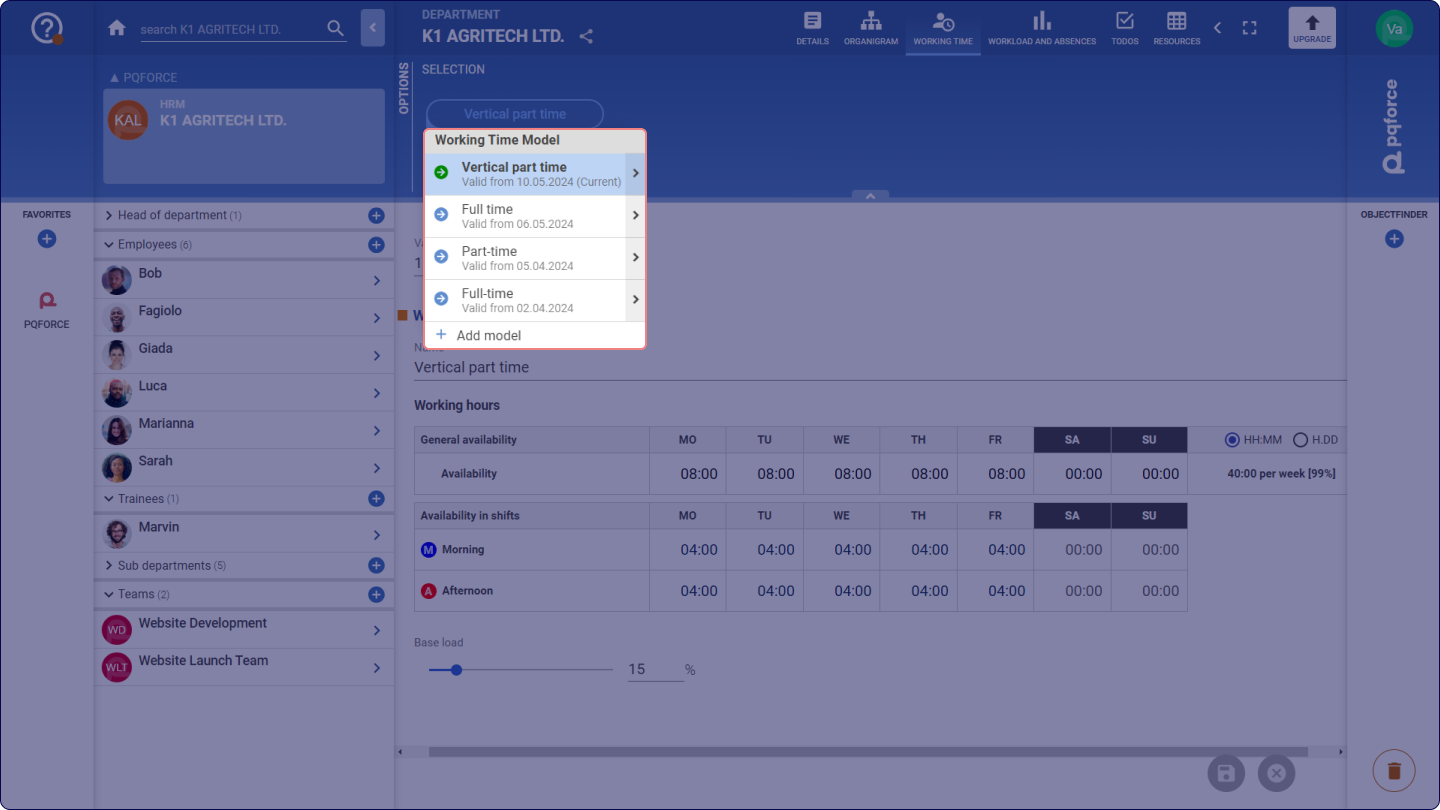
New working time models can be created, and existing ones can be edited in the selection dropdown menu.
If this section is displayed, the dropdown menu presents the current working time model name. Opening the menu reveals all stored working time models and their start dates. A coloured icon indicates past and future time models in blue  , while the currently active one is highlighted in green
 .
Three main actions are available in this menu, described as follows.
Creating working time models
By opening the SELECTION dropdown and clicking on the Add model button, a new working time model is created. All information in the workspace below becomes editable and applicable. The validity date defaults to the current date but can be adjusted as needed. If edits are discarded, the newly created time model will be removed.
Deleting working time models
Upon opening the SELECTION dropdown and hovering over the arrow situated to the right of a working time model, the Delete model option is presented, allowing for the deletion of the corresponding working time model.
Copying working time models
Here a working time model can be copied from an already existing resource to the active resource. For this purpose, any resource from the system can be selected in the Copy from selection field. When the Copy button is clicked, the currently valid working time model will be copied from the selected resource.
Editing a working time model
For the adjustment of a working time model, the preferred model can be selected and edited. Upon completing the changes, it is possible to save or discard changes.
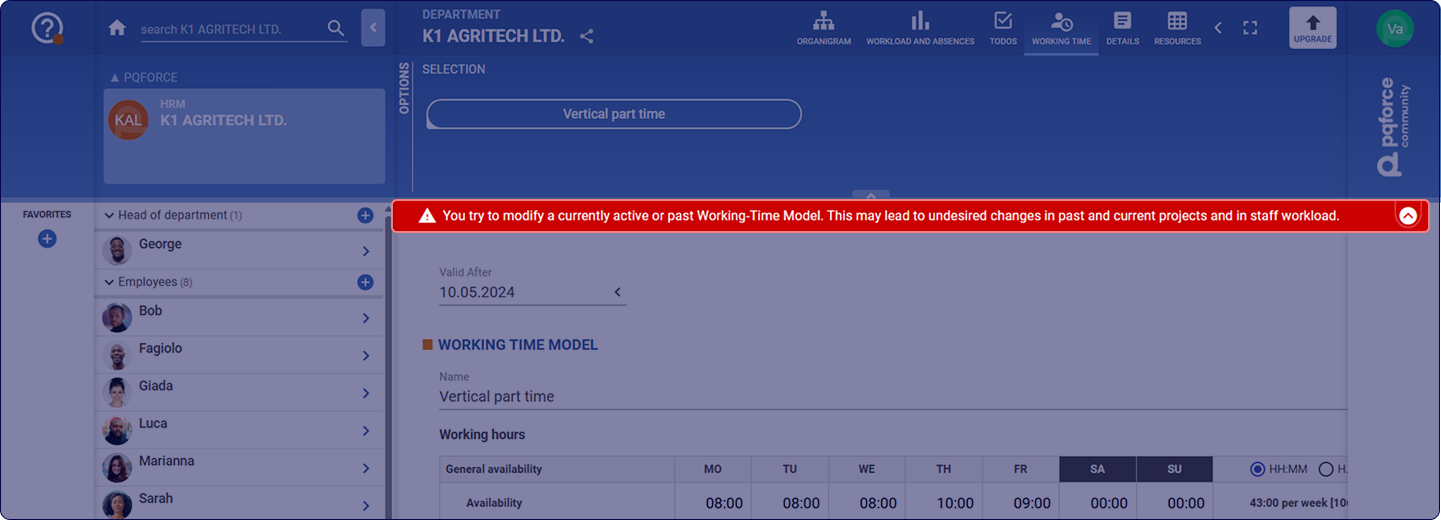
In instances where the chosen time model refers to a past period, a warning banner in red will appear to indicate that modifying it could influence historical availability, potentially leading to unintended alterations.